This sounds like a game-changer! Being able to cancel a production order even after transactions have been posted must make things so much more flexible and reduce a lot of manual work. Have you had a chance to test it out yet? How’s it working in practice? Let’s take a look below.
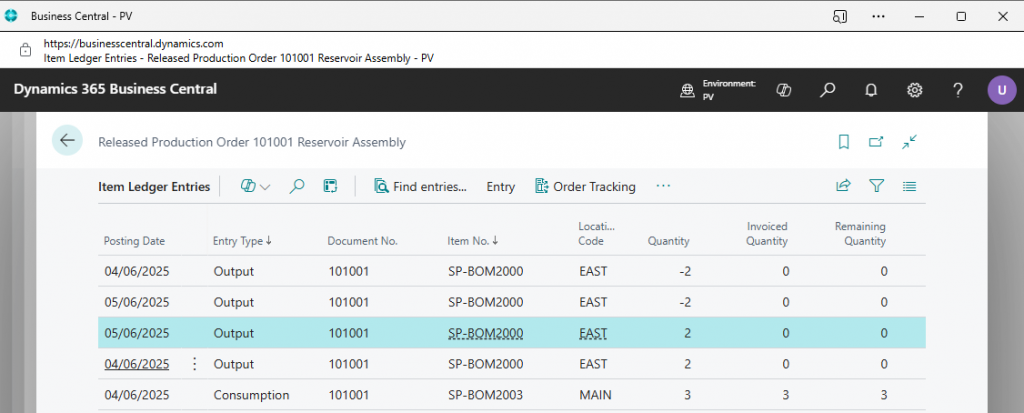
Here is an example production order, still with released status where some consumption and output have been posted. Looking at these entries within the item ledger entries.
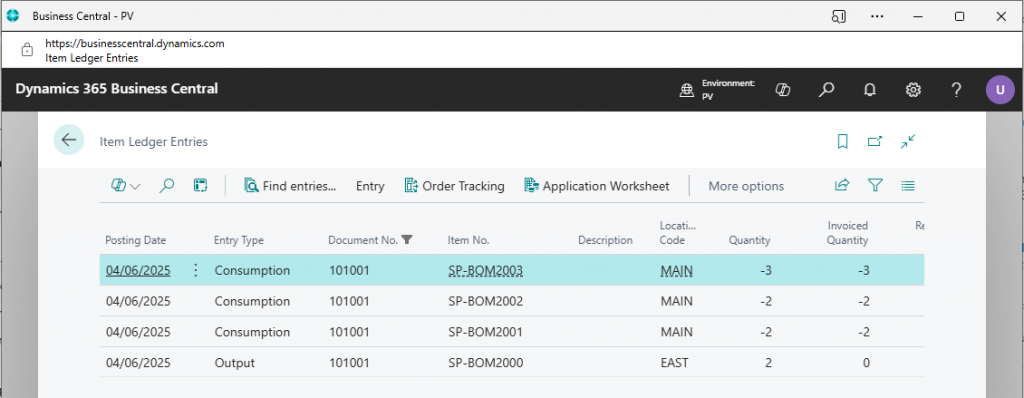
Within the Actions, functions menu there is a new option to Reverse Production Order Transaction.
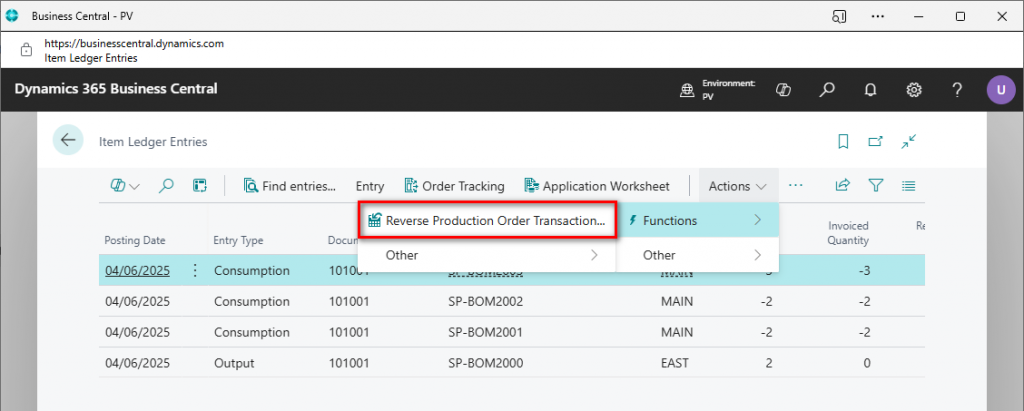
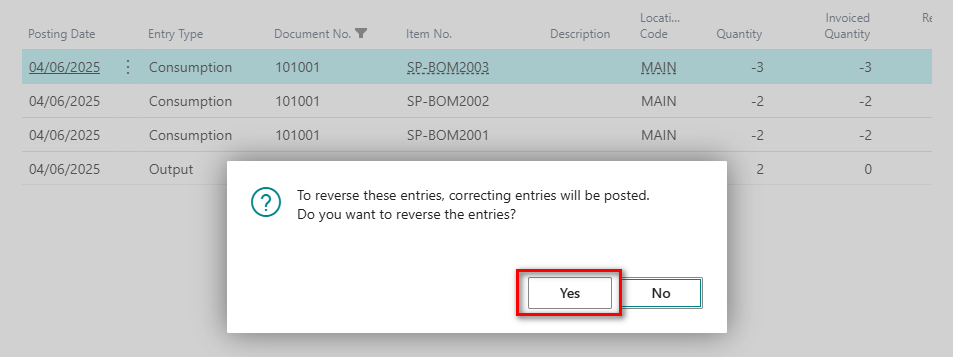
For item ledger entries of the type Consumption, the action creates item journal lines of the type Consumption. For the item journal lines, it copies values from the original transaction, uses the opposite sign in the Quantity field, applies to the original entry, and posts the item journal.
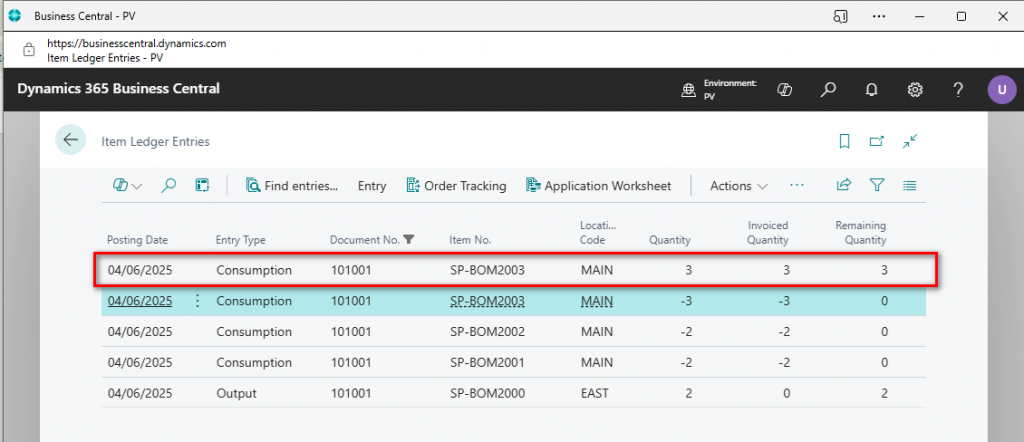
Once the reversing entry has been posted another item ledger entry will be created which is applied to the entry just reversed.
Can we reverse more than one entry? Select the other two consumption entries as below and then try to reverse.
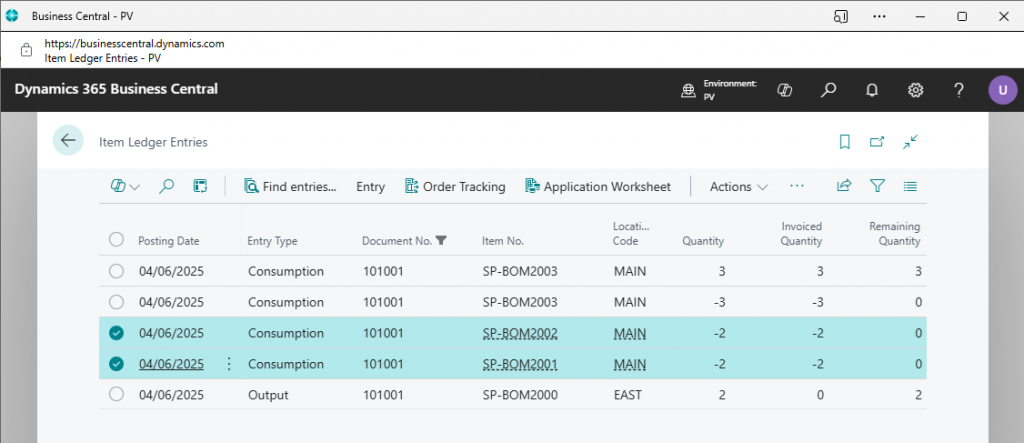
Afterwards there are an additional two ledger entries created.
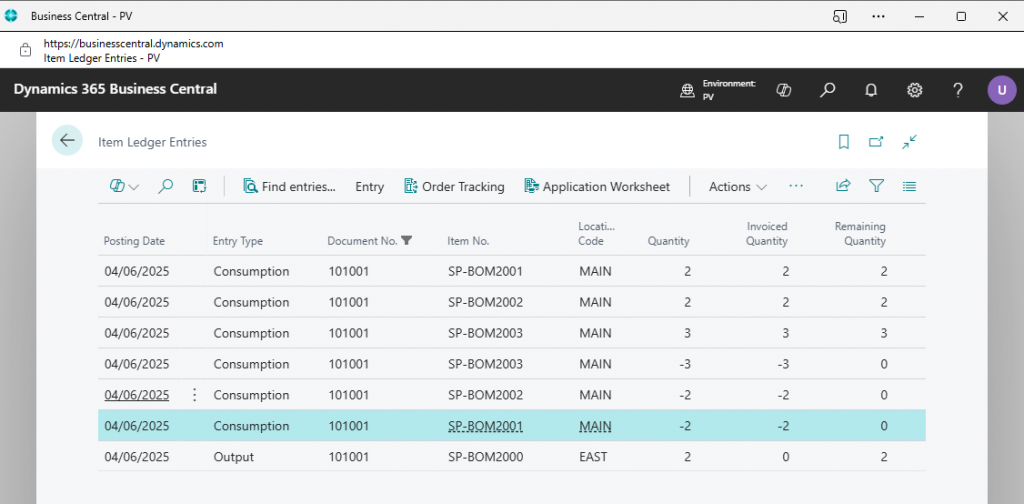
*** All the reversal entries will use the original posting date ***
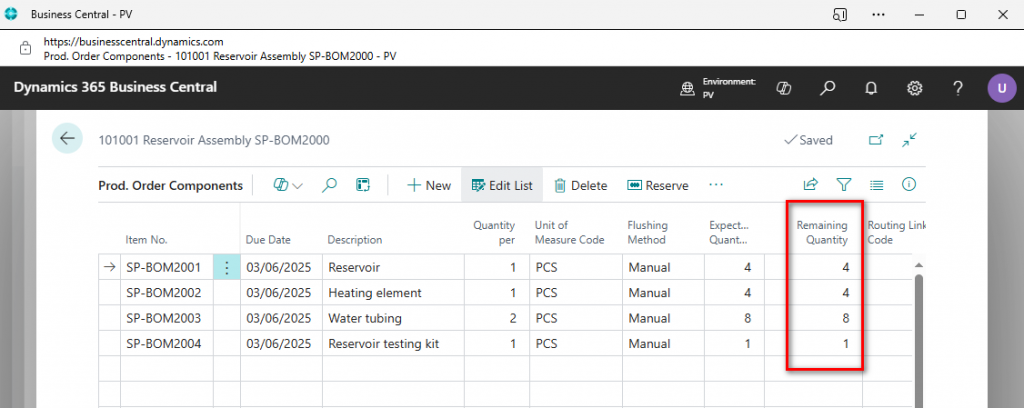
Looking back at the released production order the component lines are now sitting as they were originally before any postings happened.
Now try to reverse the output, in this example there are 2 output entries with different posting dates.
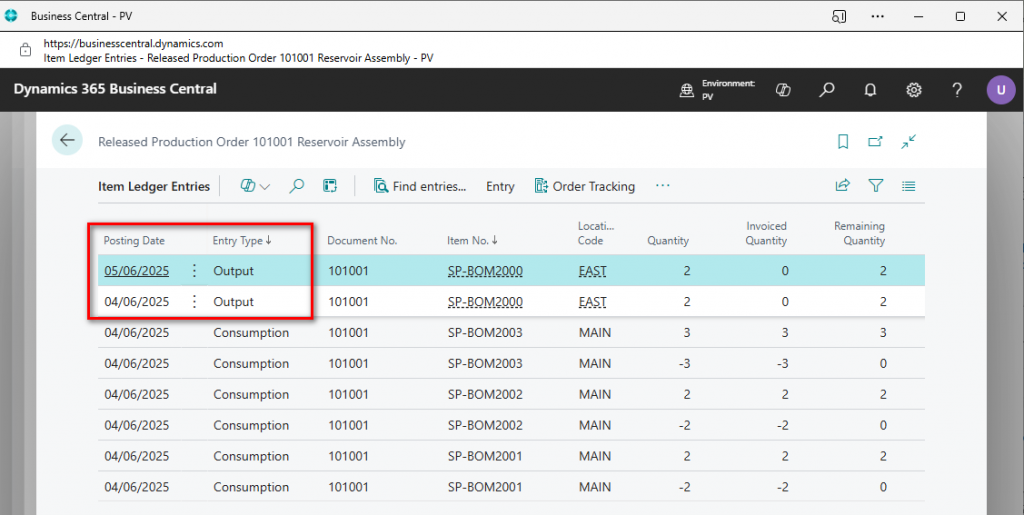
Entries have been successfully reversed and posted with the corresponding dates.
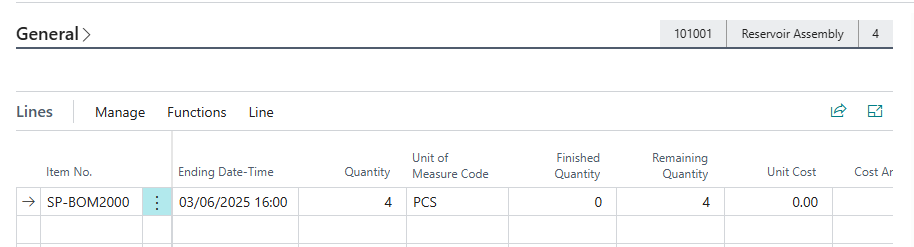
Looking back at the released production order again and the production order line is sitting at it’s original state.
N.B. If you are using routings then it also removes the Finished status from the related production routing line.
Important points to remember are that the action isn’t supported under the following conditions:
- If the output entry was already applied to an outbound transaction.
- If consumption/output involves warehouse handling. Bins are supported.
- Entries were created through subcontracting purchase orders. You can undo receipt in the Posted Purchase Receipt page.
You can undo subcontracting receipts before you post them as invoiced. To do this, go to the posted purchase receipt, select the line, and choose the Undo action. As a result, an identical line with an opposite sign in the Quantity is created along with the capacity ledger entry. And, if the canceled receipt line is linked to the last routing operation, the item ledger entry of the type Output. You can’t reverse a receipt if it was invoiced or if the production order was finished.
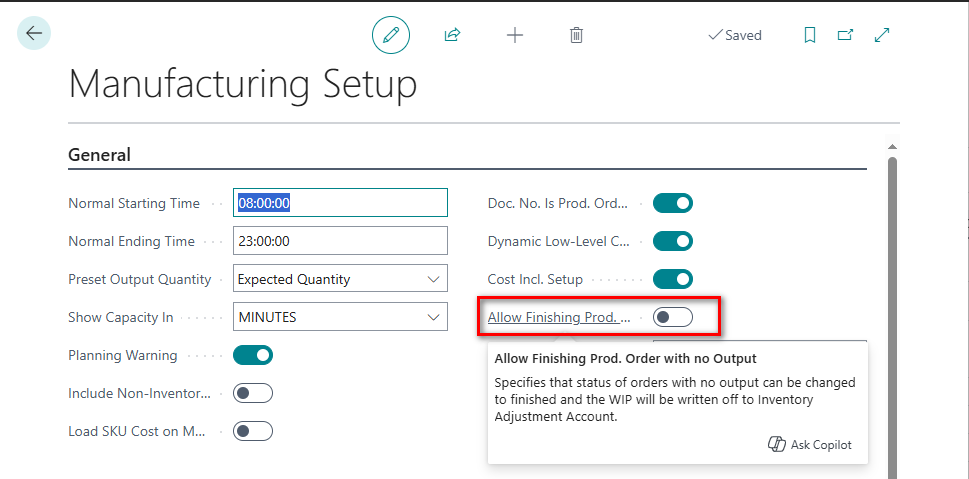
The final step is the process is to change the status of the production order to Finished. In order to do this, switch on the new toggle in the manufacturing setup.
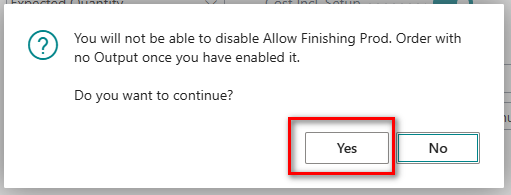
Confirm the following message.
Now when trying to change the status of the released production order you must the new toggle to finish Order.
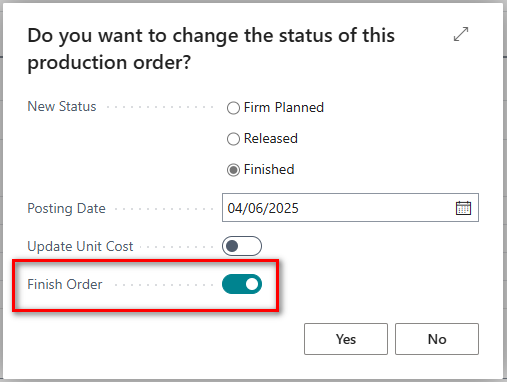
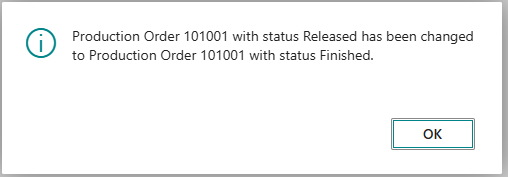
Another contentious issue with production orders was the inability to finish a production order when there were only consumption entries posted. Previously there would always have to be an output quantity before the production order could be finished. This is now resolved with the new toggle on the manufacturing setup as mentioned above. Finally!!
The accumulated WIP amounts are posted to your inventory adjustment account. Remember to fill in the Inventory Adjustment Account on the General Posting Setup page for the entry defined by:
The Gen. Prod. Posting Group field on the produced item.
The Gen. Bus. Posting Group field on the production order.
As a first pass this new feature will be an absolute game changer. Just need to perform a few more tests i.e. Lot No’s, Serial No’s etc but absolutely oustanding feature Microsoft. Well done!
Thanks, Shauna
Leave a Reply