The standard Analysis Reports in Business Central, may now have been overshadowed by newer features like Excel Reports and Power BI, however while those newer tools provide more advanced analytics and visualization options, Analysis Reports still offer a quick and easy way to break down data within Business Central itself.
Here is what I have found while reviewing the Sales Analysis Reports. Don’t forget that there are the same options to create reports for Inventory and Purchasing.
Firstly I created an Item Analysis View to allow me to summarise my sales by salesperson. I didn’t add any additional filters for item or location.
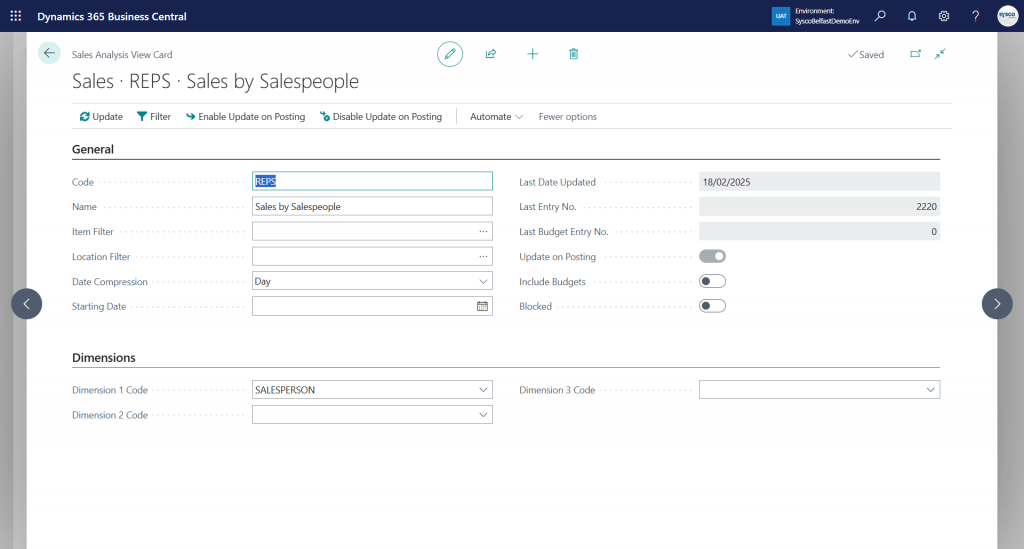
I choose the option to Update on Posting but you want to update this manually. To do so, select the Update option and this will create entries which we can analyse shortly.
I then created an Analysis Column Template to show me my sales amounts for the current financial year.
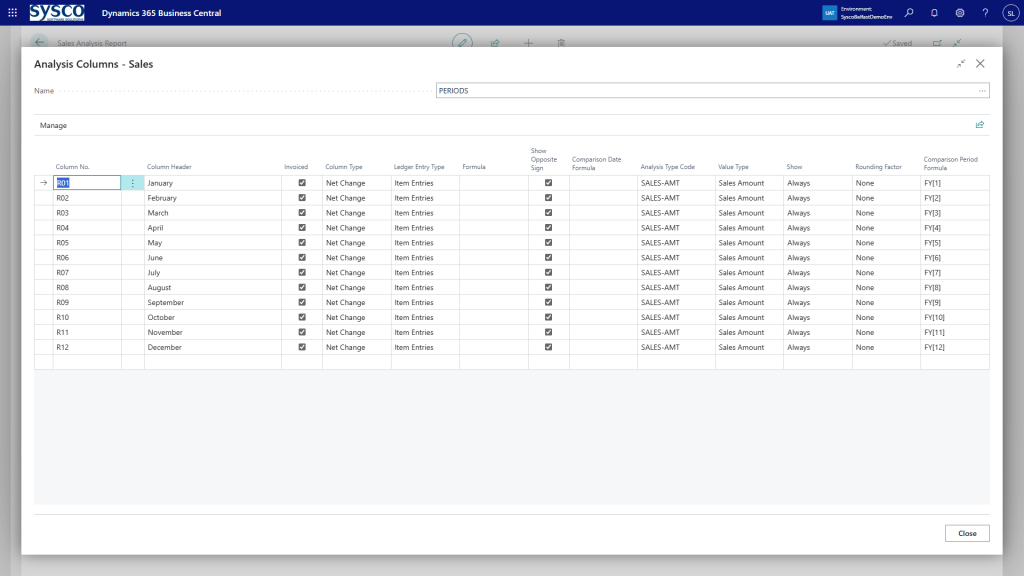
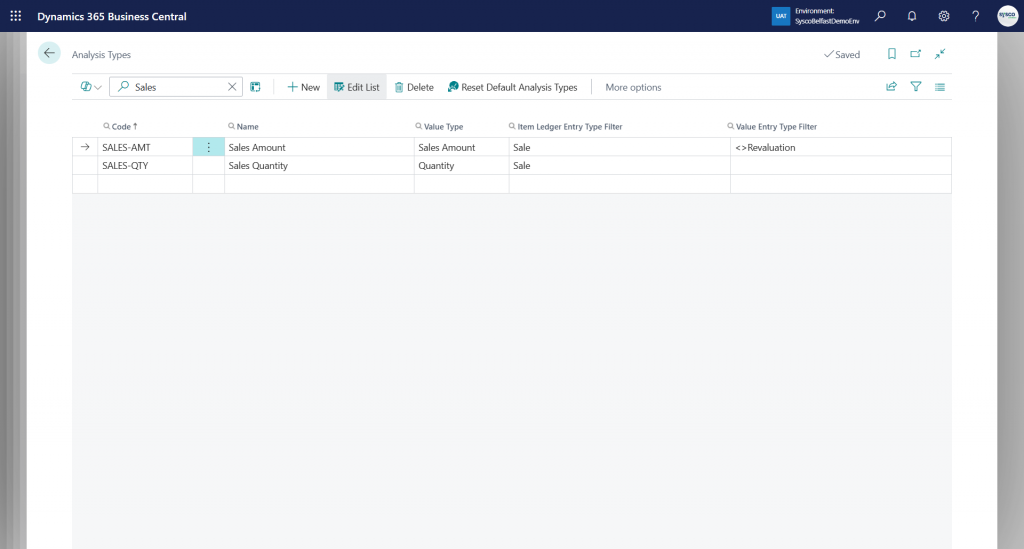
The analysis type code offers many options to display and each option shows how it is calculated. For example, the sales quantity and amount are taken from the Item Ledger Entry where the Type = Sale.
N.B. One point of interest, the invoiced flag will show you the Sales Amount (Actual) whereas leaving this unticked will show you the Sales Amount Expected.
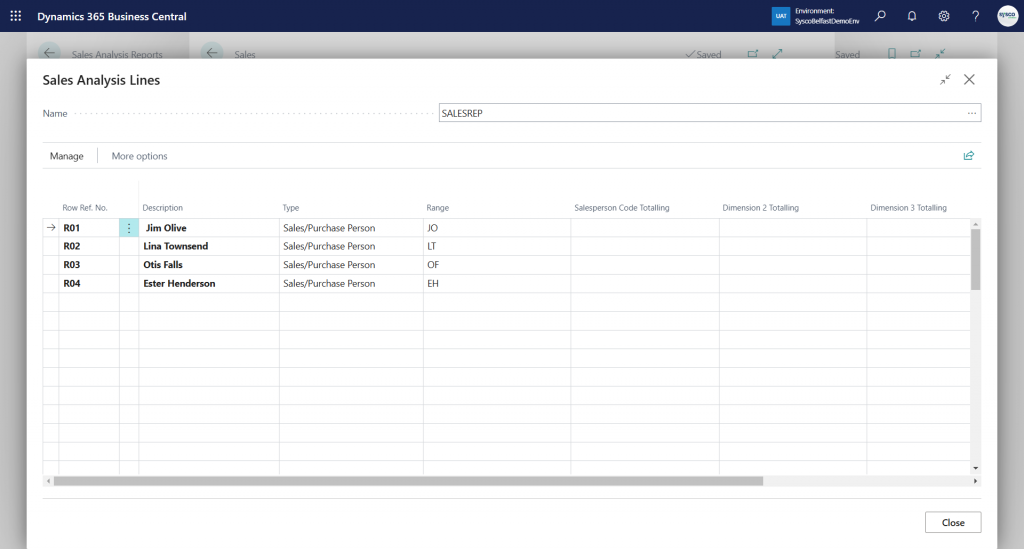
Then I created an Analysis Line Template which will show my sales by salesperson.
So, my sales analysis report now looks like the following
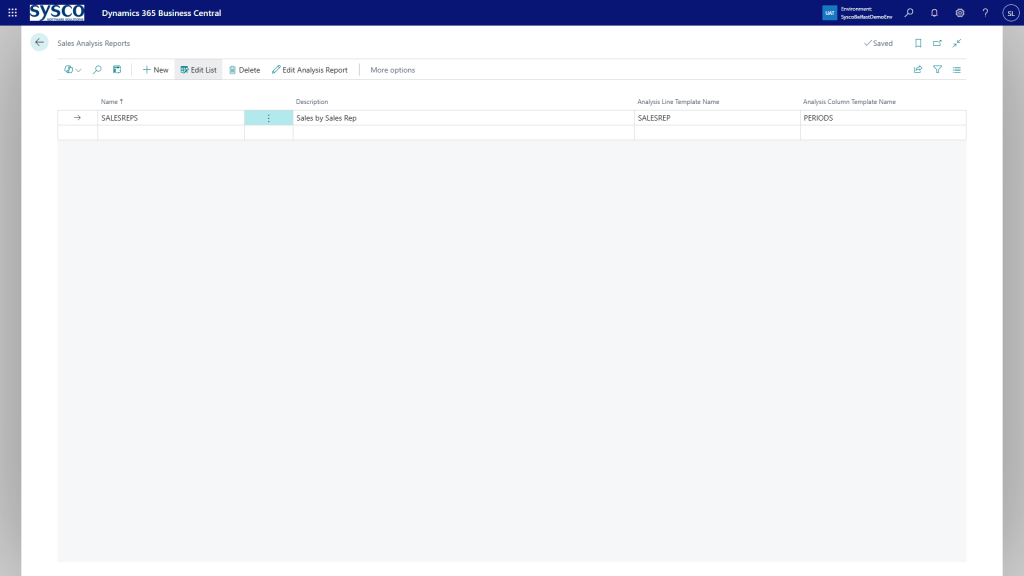
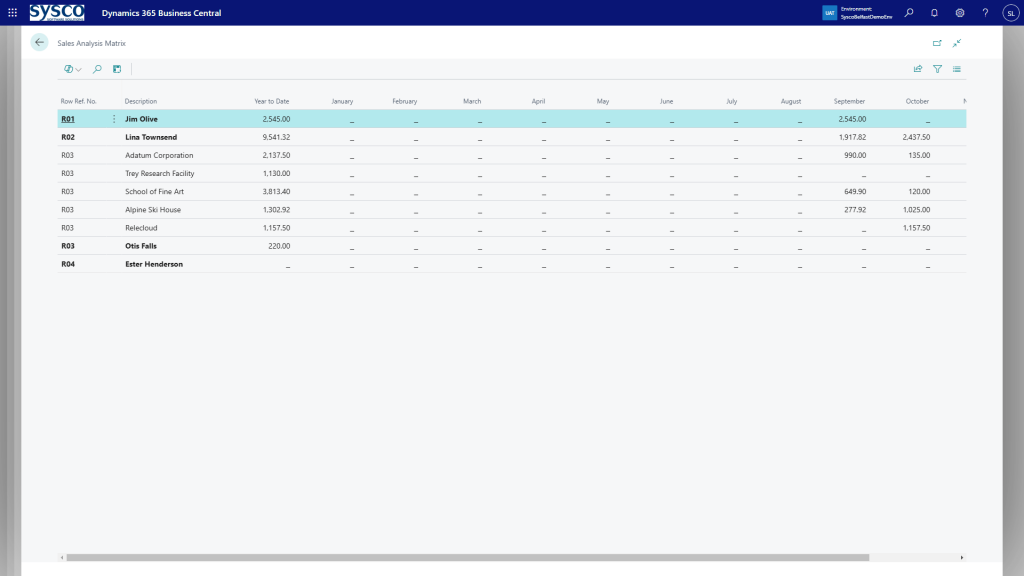
So what does this show us? Select Edit Analysis Report and Show Matrix.
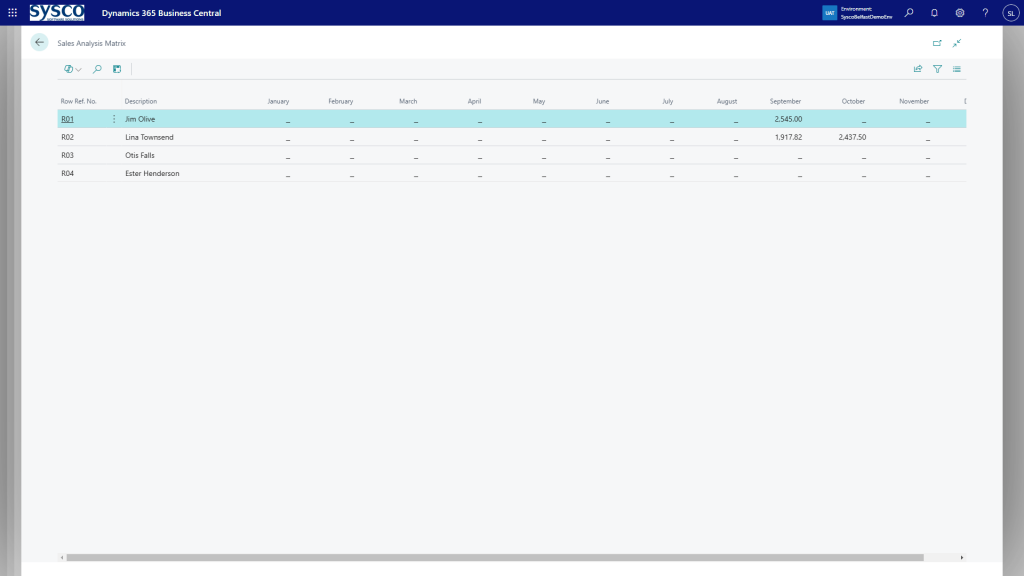
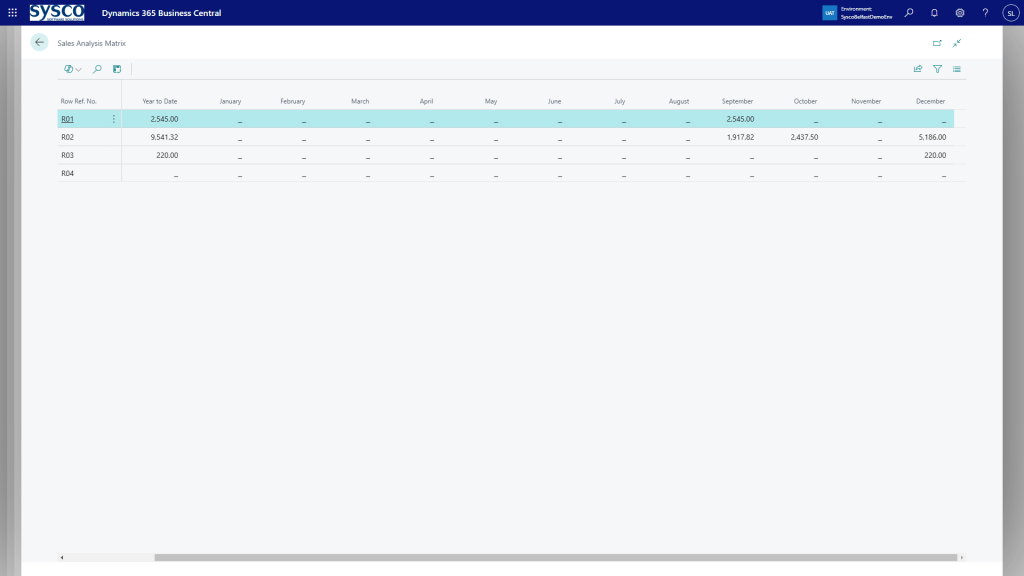
I have limited transactions to show the monthly breakdown but I should have included a year to date figure as well. Now added below.
This can also be expanded to include the customers linked to those salespeople.
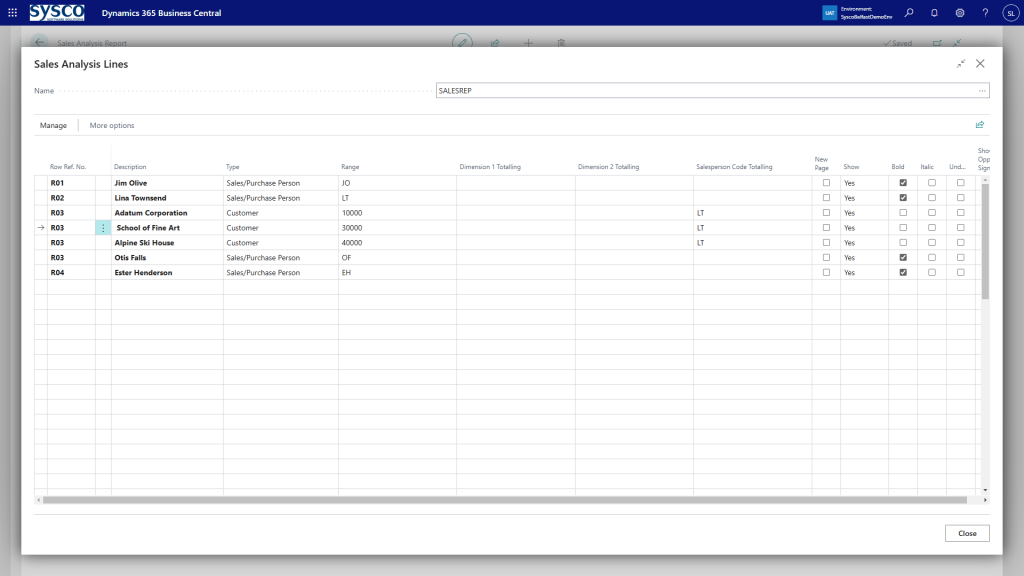
Now the sales analysis reports will show more detailed information.
While this post has revolved around sales, the same options are available for purchasing and inventory. So, while we embrace the new features around reporting and Power Bi there are still some useful features, dare I say forgotten, available within Business Central.
Thanks, Shauna

Leave a Reply